References Tab
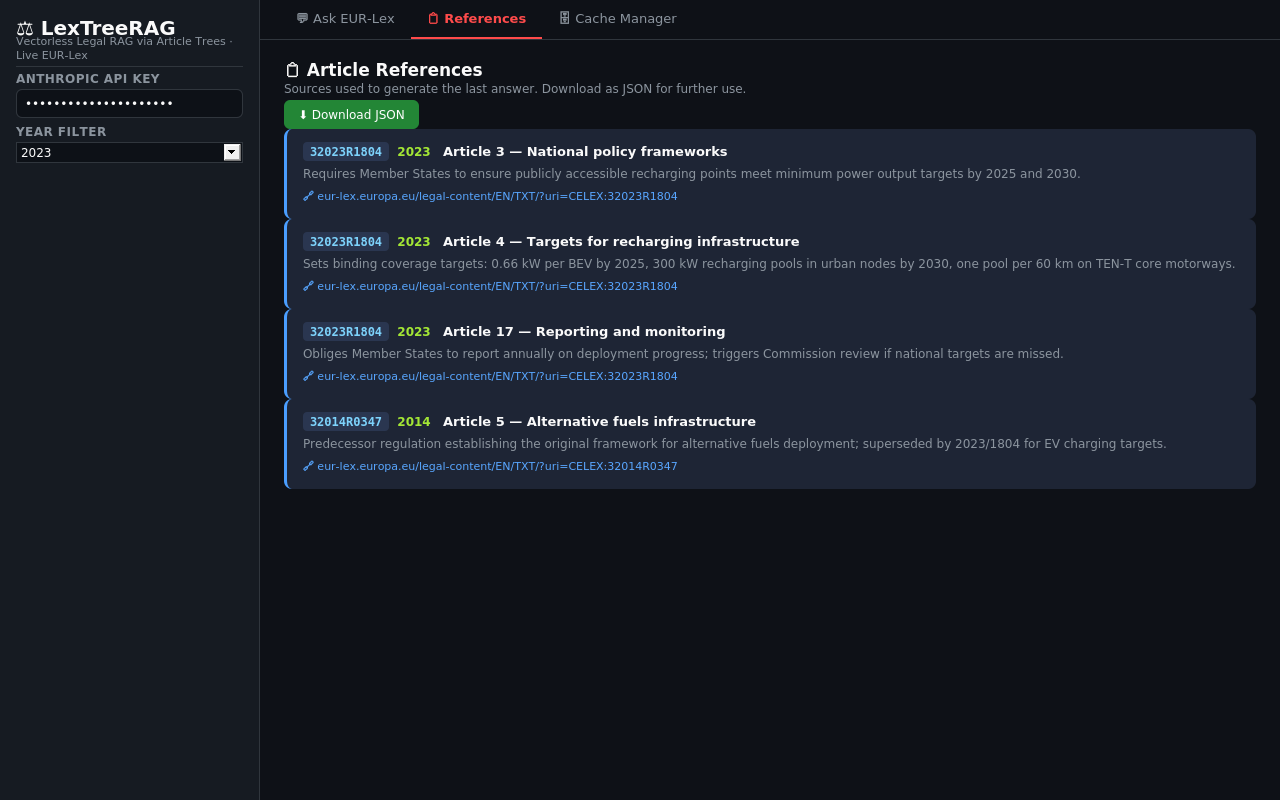 References tab — article cards with CELEX identifier, year, summary, and EUR-Lex link
Shows every EUR-Lex article used to produce the last answer. Each entry is a styled card with CELEX, year, article title, summary, and a direct EUR-Lex link.
File: app.py — with tab_refs:
Reference Card Fields
| Field | Source file | Original field | Calculation | Business meaning |
|---|---|---|---|---|
| CELEX | eurolex_client.py SPARQL |
?celex binding |
Raw CELEX string from doc_id |
Official EUR-Lex document ID (e.g. 32019R2144 = sector 3, year 2019, Regulation 2144) |
| Year | tree_builder.py |
tree["year"] |
str(year) or "uploaded" if year is 0 |
Year the document was created in EUR-Lex |
| Article | tree_builder.py |
node["title"] |
f"Article {title}" |
Article number and title as parsed from document Markdown |
| Summary | tree_builder.py via Claude Haiku |
node["summary"] |
First 120 chars of Haiku-generated summary | One-sentence description of what the article covers |
| 🔗 Open on EUR-Lex | eurolex_client.py |
doc["url"] |
https://eur-lex.europa.eu/legal-content/EN/TXT/?uri=CELEX:{celex} |
Direct link to the full document |
Data Flow
run_query() — app.py
  └─ selected nodes (from navigate_tree + rerank_nodes)
       └─ each node → reference dict:
            {CELEX, Article, Summary, URL, Year}
                 │
                 └─ st.session_state.references
                          │
                          └─ rendered in tab_refs as HTML cards
Download button: st.download_button() serialises references as json.dumps(refs, indent=2).
Filename: eurolex_refs_{YYYYMMDD_HHMMSS}.json